
- ENGLISH


QuickShare 68E Pro
WIRELESS COLLABORATION
BYOM, Collaboration, Wireless presentation, and Video Conferencing Sharing


CONNECT YOUR WAY

Wireless Connect with
AV Equipment
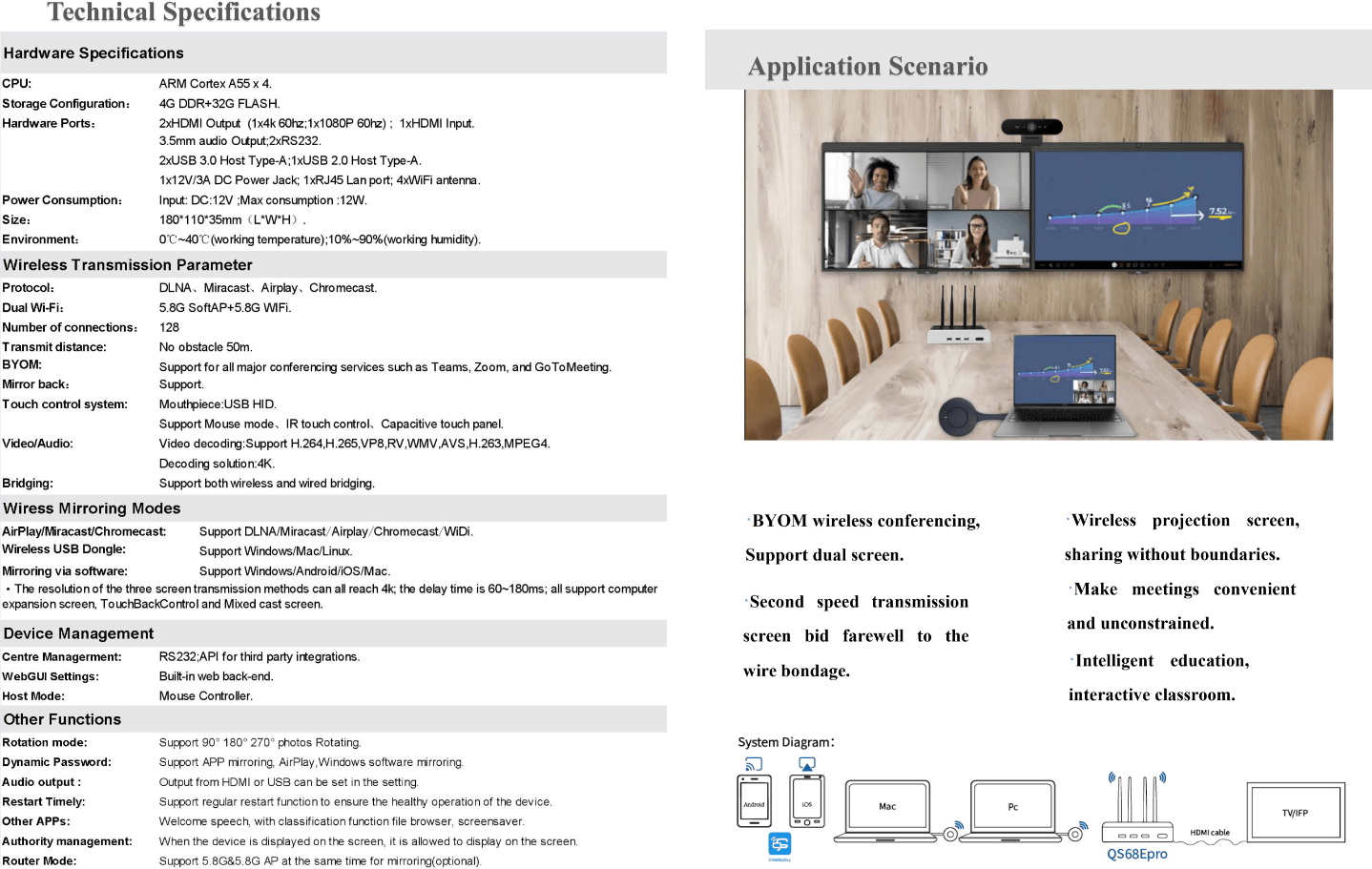
Bring your own device to the meeting, Wireless connect and call the USB camera and microphone through his/her laptop in the meeting room.

Quickly start a video
conference(BYOM)
Support Teams, Zoom, Dingpin, Tencent meetings, etc UC video conference platform to quickly start a meeting

NO APP/ NO DONGLE
NO CABLE
Plug& share presentations from the desktop with 4K UHD experience, Support Airplay, Miracast, Google Cast and QuickShare

LOCAL VIEW SHARING
(Mirror Back)
Share the conference room display directly with remote attendees through the meeting APP

Centralized control
management
It can access the BZ unified management platform, support remote control, support unified operation and maintenance control

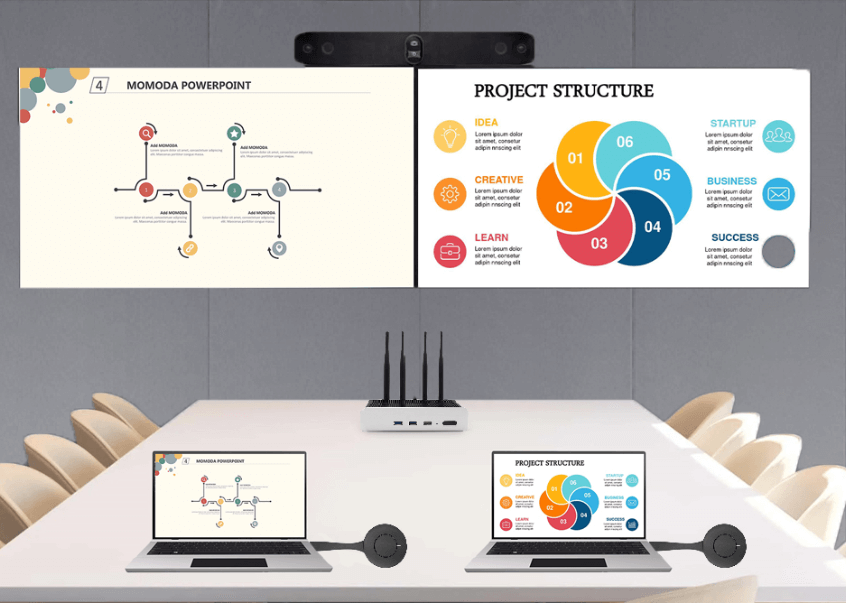
Dual screenS display
Intelligent terminal supports Dual HDMI output, can set one screen display and dual-screen display; In dual-screen display mode, the left and right screens can be interchangeable

MULTI-MACHINE COOPERATION
Up to 16channels of pictures can be displayed on the same screen,Support screen sharing and one button broadcast-ing between master and slave devices.

HDMI INPUT
Support HDMI input and output, and support access to third-party HDMI video sources, such as cameras, OTT Box, high-resolution monitors, and laptops

APPLICATION INTEGRATION
Support the integration with the third-party application system such as video conference, conference appointment, teaching central control, recording and broadcasting.

4K Pixel to Pixel
9 SPLIT SCREENS
3840X2160P Resolution Support TYPE-C/Miracast/Airplay 4K screen projection
BYOM:Wireless Shared Camera&Microphone
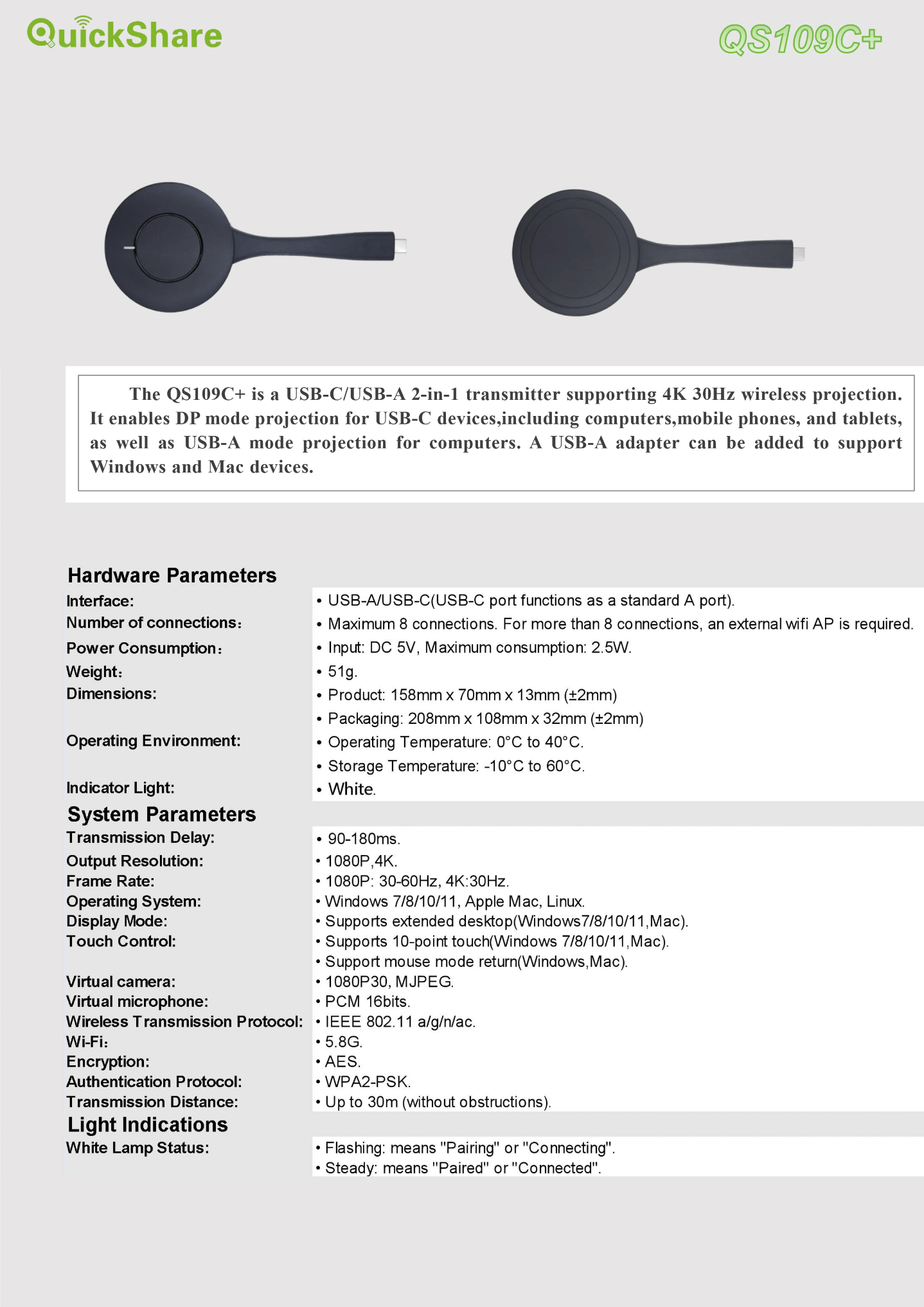
With TYPE-C/USB two-in-one transmitter, The screen projection also support USB Camera and micro-phone to send back to the computer, Compatible with mainstream video conferencing software: Tencent, Ding Talk, ZOOMS, TEAMS, etc

2*HDMI Out
Dual screens display
Intelligent terminal supports Dual HDMI output, can set one screen display and dual-screen display; In dual-screen display mode, the left and right screens can be interchangeable
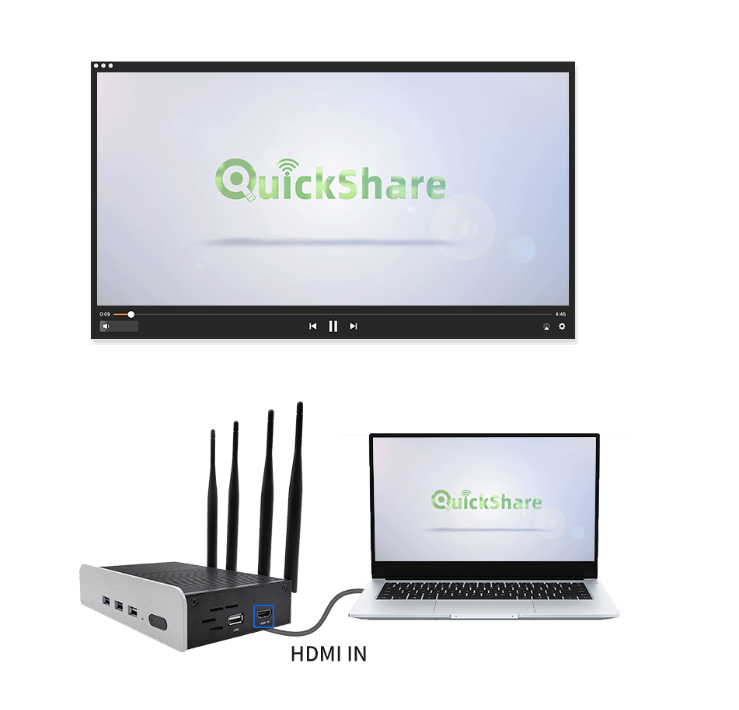
HDMl IN support display
of set-top box, computer and
Laptop, etc
APP free: Miracast&AirPlay
Mixed Projection
Support full platforms: regardless of Windows/Mac, Or i0S/Android and other mobiles, Both support dynamic password protection


Remote Web Page Casting
A sharing tool for screen casting in different places and visitors Chrome browser for Windows and Mac computers, Firefox browser projection, no need install the clients APP
Remote Broadcast
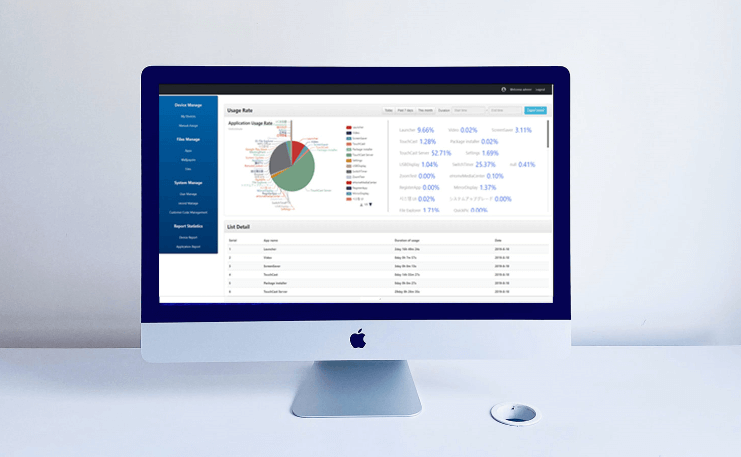
Centralized Management
Networked devices can be central managed remotely and push audio and video remotely. It 's convenient to view equipment usage, fault alarm, etc Facilitate centralized management of batch equipment and improve maintenance efficiency
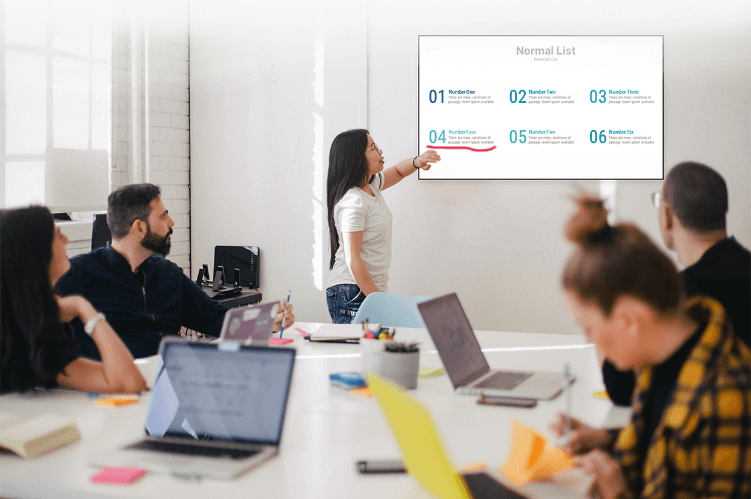
Accurate Writing
and Annotation
The pen follows the heart, the size and color of the stroke can be changed as willing, and the writing is smoothly, convenient and fast
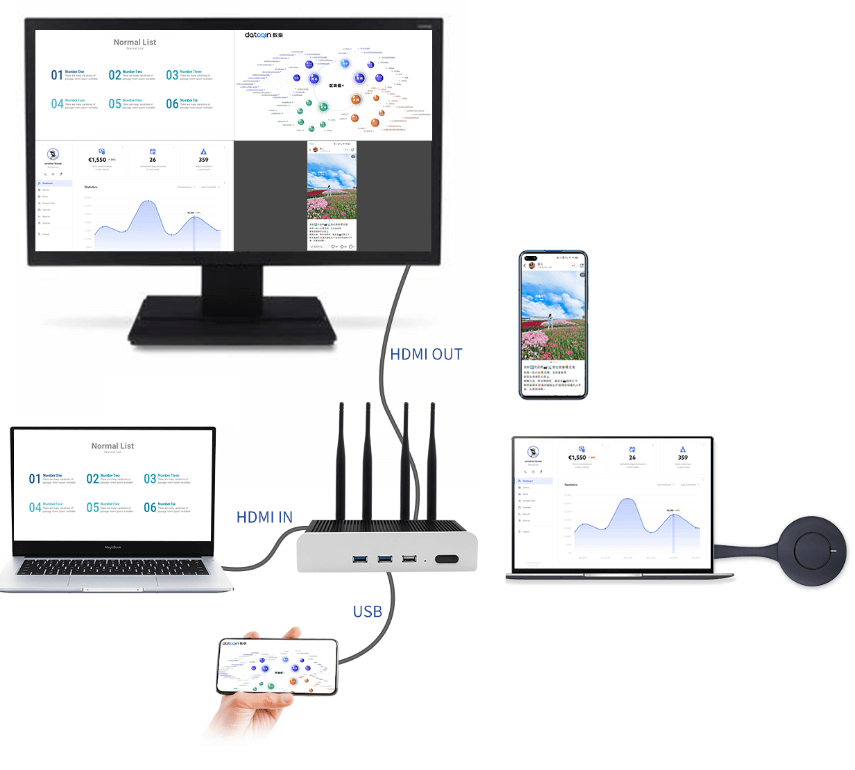
Four Screens1080P
Pixel to Pixel Display
Support terminal 4-16 screens projection Realize the integration of wired display and wireless screen projection
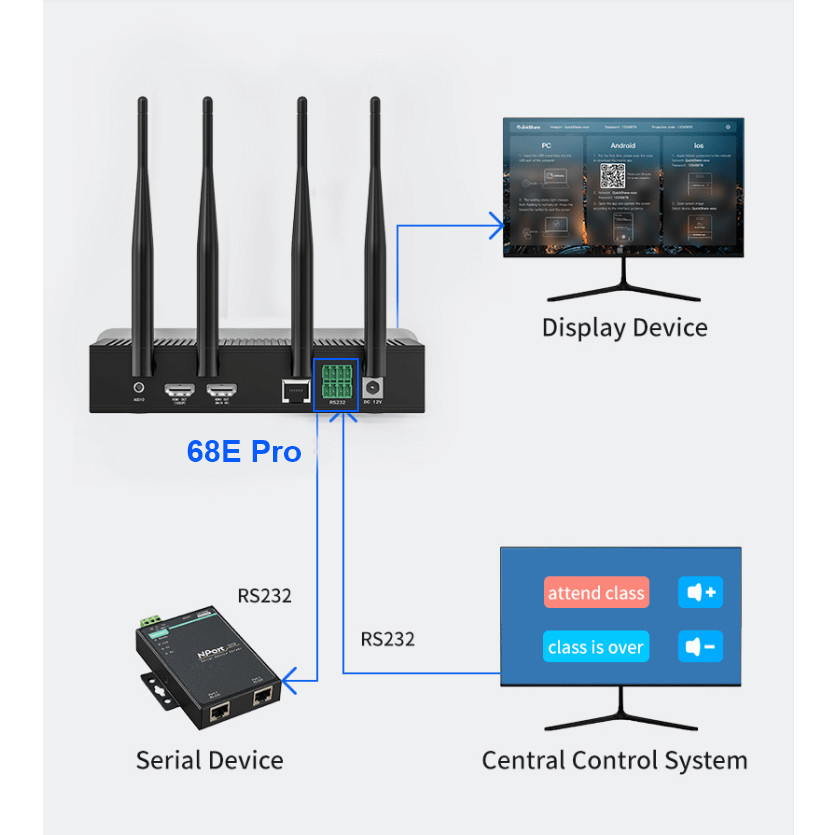
RS232* 2 for easily
Access to central control
RS232 interface is provided to facilitate the central control system to control the projection. Other third-party devices can also be controlled through RS232
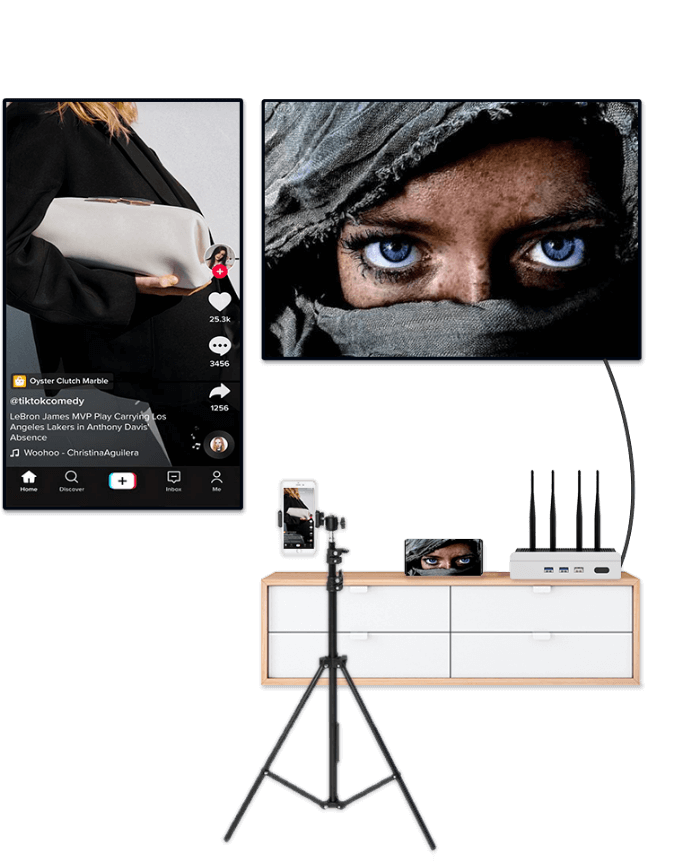
Live-broadcast on the vertical
screen and watch movies on
the horizontal screen
Default vertical screen mode, switch horizontal screen mode to meet a variety of use scenarios
Compatible with 3-in-1 transmitter
More usage
Provide USB, HDMl, Type-C transmitter, Meet your conference equipment with different interfaces

Popular Interface, Power supply and Integrated transmission Convenient plug and play

No driver, Plug and play

Drive-free installation
Plug and play 4K
Transmission
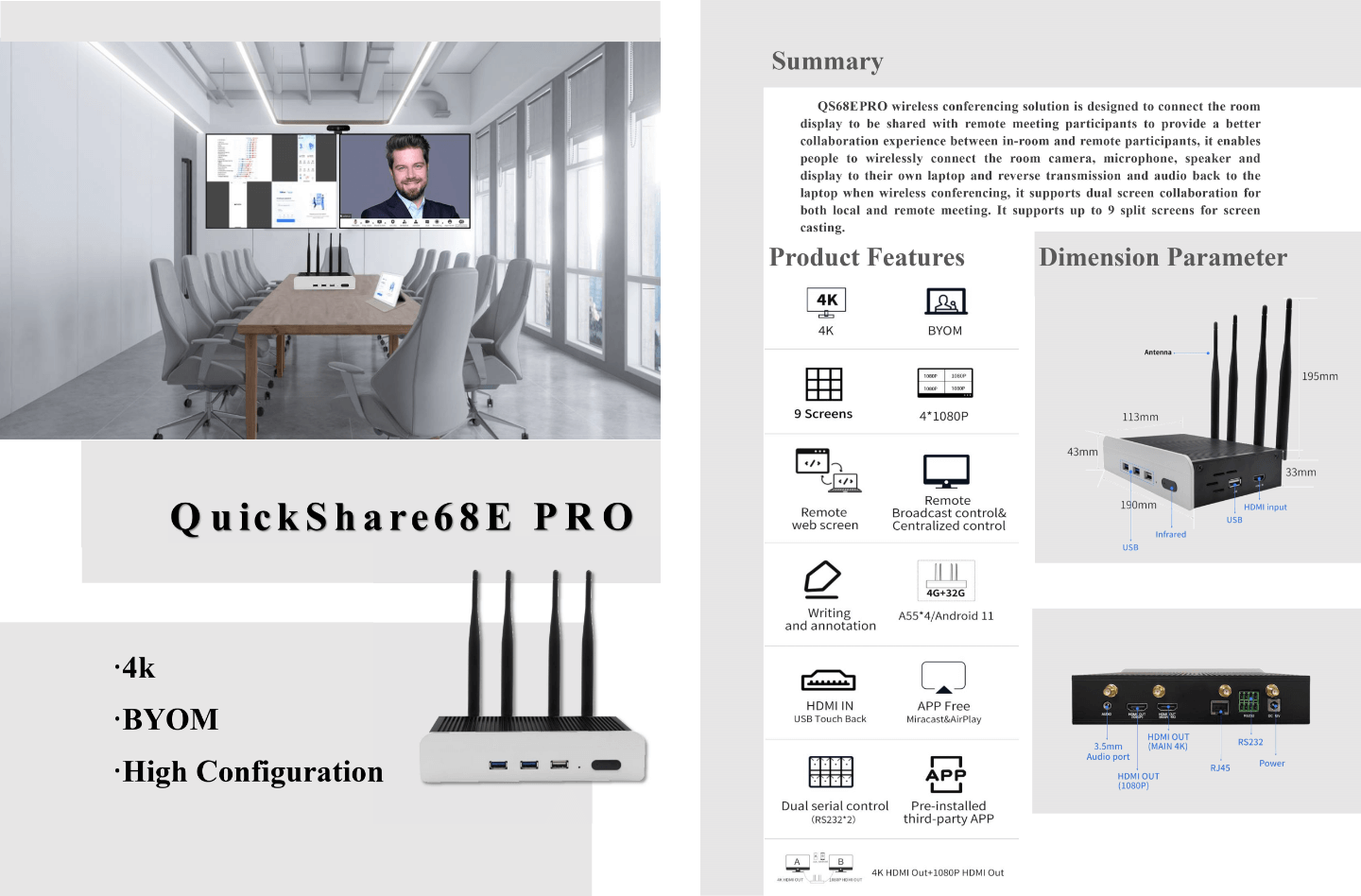
PRODUCT DATASHEET
- PRODUCTS
- QS 68E Plus BYOM Collaboration Box
- QS 68E Pro BYOM Box
- QS 68E Cnc BYOM Box
- QS L3 BYOD Education Box
- QS Y3 BYOD Meeting Box
- QS D2 Receiver Dongle
- Comparasion of Y3 L3 68EPro 68EPlus
- SOLUTION
- BYOM Wireless Conferencing Solution
- BYOD Wireless Meeting and Hotel Room Solution
- Active Learning Classroom Solution
- USB Wired Casting SDK Solution
- SDK
- Wireless Display SDK Document
- Wireless screen casting Receiver Software
- Software Application Scenario
- Software Download
- CONTACT US
- Phone:+86-139-2340-4086
- Email:ze.p@bozee.cn
- FOLLOW US


Copyright 2026 Shenzhen Bozee Technology Co., Ltd+86-139-2340-4086